
Introduction: AI Is Moving Beyond Generating Text#
For years, the primary way developers interacted with large language models was through prompts and responses. You asked a question, generated some code, summarized a document, or requested an explanation.
But what happens when an AI model can do more than explain how to complete a task? What if it can interact with the software where that task actually needs to happen?
Imagine an AI agent that can inspect a dashboard, identify a customer record, update a permitted field, run a terminal command, and verify the result. Instead of merely telling you what to do, the agent can work through the steps using the tools and permissions you provide.
This is the problem space behind GPT-6.1 Terra, announced by OpenAI on October 26, 2026.
Terra is designed for visual reasoning, precise computer use, coding, and professional workflows where speed and operating cost matter. OpenAI positions it as a more cost-efficient option for routine, high-volume tasks, while more capable models remain appropriate for particularly complex reasoning and engineering problems.
For developers building AI-powered SaaS products, automation platforms, and coding agents, this release raises an interesting question:
Can computer-use AI become affordable and reliable enough to power everyday software automation?
Let's examine what GPT-6.1 Terra offers, what its published benchmarks actually tell us, how its pricing works, and where developers might use it in production.
Official announcement: OpenAI, Introducing GPT-6.1 Terra.
1. What Is GPT-6.1 Terra?#
GPT-6.1 Terra is an AI model in OpenAI's GPT-6 family, optimized for visual understanding, computer interaction, coding, and clear writing.
Its purpose is not simply to produce a better conversational response. It is designed to help complete tasks that involve interpreting information and taking actions through supported tools.
Consider a traditional AI assistant asked to update a product listing.
A conventional text-based workflow might generate instructions for finding the product, changing its description, and saving the changes.
A computer-use agent could instead work through an authorized browser workflow, inspect the relevant page, interact with the interface, and check whether the requested update succeeded.
The difference is important: the system must reason about the environment, choose actions, observe what happens, and recover when something goes wrong.
Key capabilities#
According to OpenAI's announcement and API documentation, GPT-6.1 Terra supports several capabilities relevant to this workflow.
Visual reasoning
The model can interpret image inputs and reason about visual information. This is useful when relevant information appears in screenshots, diagrams, product photographs, or application interfaces.
Computer use
Terra supports computer-use workflows through the appropriate tools. These workflows can enable an agent to interact with supported browser or application environments.
Coding and terminal tasks
The model is designed to assist with software engineering, including command-line coding tasks. This makes it relevant to development agents that inspect repositories, diagnose problems, and work through well-scoped changes.
Writing and document workflows
Terra can draft and revise text, interpret documents, and assist with repetitive professional tasks.
Tool integration
The API supports tool-based workflows, including computer use, web search, file search, code execution, hosted shell, and MCP integrations, subject to the relevant API interfaces and configuration.
These capabilities do not mean that every task is automatically executed without additional engineering. Developers still need to configure tools, provide appropriate context, enforce permissions, and validate the final result.
Where does Terra fit in the GPT-6 family?#
The most useful way to evaluate Terra is by considering the task rather than treating every model as interchangeable.
| Requirement | What to evaluate |
|---|---|
| Repetitive browser workflows | Computer-use capability, reliability, and total cost |
| Everyday coding | Terminal performance, repository context, and test results |
| Visual interpretation | Image understanding and task-specific accuracy |
| Complex engineering problems | Whether a more capable reasoning model is necessary |
| High-volume automation | Cost per successful task and throughput |
| Sensitive operations | Permission controls, verification, and human approval |
OpenAI positions GPT-6.1 Terra as a cost-efficient option for professional work. Its published announcement recommends stronger models such as GPT-6 Astra or GPT-6.1 Sol for the most complex coding and reasoning tasks.
The takeaway is straightforward: the best model is the one that meets your workload's quality, reliability, latency, and cost requirements.
2. Why Computer-Use AI Agents Matter#
Computer-use agents represent a shift from AI that generates recommendations to AI systems that can act within a software environment.
This is particularly relevant because many business workflows still depend on graphical interfaces.
A company might store information across a CRM, a spreadsheet, an invoicing platform, an internal dashboard, and a customer-support application. Even when these tools have APIs, integrating every system can require significant development effort.
Computer-use agents offer another approach for certain workflows: interact with supported interfaces through a controlled environment.
Example: Automating a CRM workflow#
Imagine building an AI assistant for a sales team.
A user asks:
"Find the customer whose email address matches the supplied contact, update their lead status to qualified, and confirm the change."
A carefully designed agent could follow this process:
- Interpret the user's request.
- Identify the permitted application and available tools.
- Open the relevant customer-management interface.
- Search for the specified customer.
- Confirm the record using an appropriate identifier.
- Update the authorized field.
- Verify that the change was saved.
- Return a report describing the result.
Notice that the workflow does not end when the agent clicks a button.
It ends when the system has evidence that the intended change occurred.
That distinction separates a convincing demonstration from a dependable automation product.
Computer use versus API integration#
Computer use is not always the best way to interact with software.
When an application exposes a stable API, a direct API integration is often easier to validate, more predictable, and more efficient.
Computer use becomes interesting when the workflow depends on a graphical interface, when an appropriate API is unavailable, or when the task requires interpreting visual information.
A practical architecture may combine both approaches:
- Use APIs for structured data retrieval and updates.
- Use computer use for supported interface interactions.
- Use deterministic application code for authorization and validation.
- Use an AI model for interpretation, planning, and handling ambiguous situations.
This hybrid approach can offer greater control than relying exclusively on browser interactions.
3. GPT-6.1 Terra API Pricing Explained#
Pricing is one of the most important considerations for developers building AI agents.
A model can be technically impressive but commercially impractical if every completed task requires many expensive model calls.
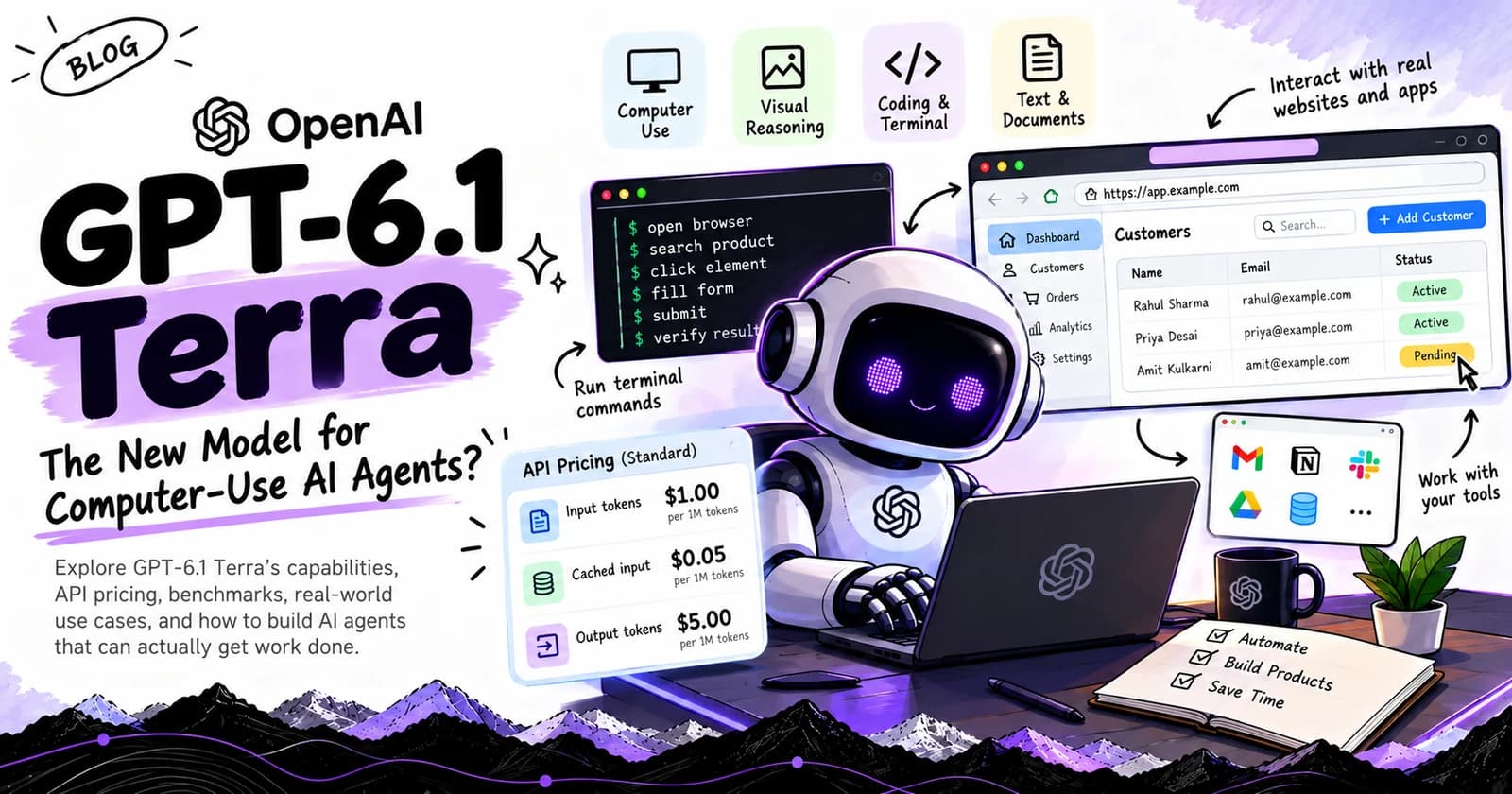
OpenAI's published standard API token pricing for GPT-6.1 Terra is:
| Token type | Price per million tokens |
|---|---|
| Input tokens | $1.00 |
| Cached input tokens | $0.05 |
| Output tokens | $5.00 |
These are the published standard token rates. Additional pricing rules can apply to particular service tiers, longer contexts, and other API features.
API usage is billed separately from ChatGPT subscriptions.
Developers should also account for any applicable tool-call charges, compute usage, infrastructure, and other costs associated with their chosen workflow.
What does this mean in practice?#
Suppose an agent makes a request that consumes:
- 10,000 input tokens.
- 2,000 output tokens.
Using the standard rates above, the token cost is:
Input cost:
10,000 / 1,000,000 × $1.00 = $0.01
Output cost:
2,000 / 1,000,000 × $5.00 = $0.01
Total model token cost:
$0.02 per request.
This calculation assumes the stated token counts and excludes cached-input discounts, tool charges, and other expenses.
It is not a prediction of what a real computer-use task will cost.
An agent may make several requests to inspect a screen, choose an action, interpret the result, and recover from an error. Consequently, the total cost of a completed workflow can be higher than the cost of a single model request.
The metric that matters: Cost per successful task#
For production systems, I would focus on cost per successful task rather than cost per request.
A useful approximation is:
Cost per successful task = Total workflow cost / Number of successfully completed tasks
For example, suppose 100 attempts cost $10 in total and 80 tasks are completed correctly.
The cost per successful task is:
$10 / 80 = $0.125
That gives a more useful measure of operational efficiency than token pricing alone.
A complete evaluation should include:
- Model input and output tokens.
- Cached input usage.
- Tool calls and compute costs.
- Retries and failed attempts.
- Human intervention.
- Infrastructure expenses.
- Successful task completion rate.
For a commercial AI SaaS product, these factors can determine whether automation creates real economic value.
Before deployment, confirm the latest pricing and applicable tool charges in the official OpenAI API documentation.
4. GPT-6.1 Terra Benchmarks: What Do the Results Show?#
OpenAI's launch announcement reports improvements in computer use, visual reasoning, coding, and factuality compared with GPT-5.6 Terra.
These results are useful for deciding which workloads deserve testing. However, they should be interpreted as vendor-reported evaluations rather than independent proof of performance in every production environment.
Here are several results highlighted in the announcement.
Terminal-Bench 4.0: 50.3% at maximum reasoning effort#
OpenAI reports that GPT-6.1 Terra achieved a 50.3% score on Terminal-Bench 4.0 at maximum reasoning effort, compared with a published score of 21.5% for GPT-5.6 Terra.
Terminal-Bench evaluates coding agents on command-line software engineering tasks.
This result suggests that Terra may be a useful candidate for focused terminal-based workflows, including debugging and making code changes.
However, a benchmark score does not establish that the model can independently build, test, and deploy an entire production application.
Real-world results depend on the repository, task definition, available tools, execution environment, and validation process.
Agents' Last Exam: Professional computer-use workflows#
OpenAI reports that GPT-6.1 Terra scored 15 percentage points higher than GPT-5.6 Terra at medium reasoning effort on Agents' Last Exam, at approximately one-third of the cost per task.
The announcement also reports performance comparable to GPT-6 Astra on this evaluation at roughly one-tenth the token price.
The significance is not merely that the model can interact with a screen.
It is that the combination of task performance and cost could make certain professional workflows more practical to automate.
However, the actual economics will vary with task complexity, tool usage, retries, and the level of human supervision required.
Visual reasoning#
OpenAI reports that Terra outperforms GPT-5.6 Terra across reasoning settings on MMMU-Pro, a visual-reasoning benchmark.
The company also reports that Terra approaches the performance of more capable models at a lower cost.
For developers, this makes visual reasoning worth evaluating in workflows involving screenshots, diagrams, and other supported image inputs.
The result does not mean that every visual interpretation will be correct. Critical information should still be checked against authoritative data or deterministic application logic.
Factuality improvements#
OpenAI reports that the error rate on its internal benchmark of error-inducing prompts decreased from 53.6% with GPT-5.6 Terra to 16.7% with GPT-6.1 Terra at low reasoning effort.
At maximum reasoning effort, OpenAI reports an error rate of 4.3%.
These figures come from an internal evaluation designed to elicit errors. They should not be interpreted as general-purpose hallucination rates across all applications.
The practical implication is that factuality improvements may help in professional workflows, but developers still need to test the specific failure modes that matter to their products.
What should developers conclude from these benchmarks?#
The results support evaluating GPT-6.1 Terra for focused, repeatable tasks where computer use, visual interpretation, or coding performance matters.
They do not establish that Terra is the best model for every workload.
A responsible model evaluation should compare candidates using representative tasks, consistent success criteria, actual end-to-end cost, and independent verification.
5. How to Build an AI Agent Around GPT-6.1 Terra#
Let's consider a practical architecture for an AI agent that updates records in a web application.
The goal is not to build an unrestricted autonomous system. It is to create an agent that can perform a narrowly defined task with explicit permissions and a verifiable result.
Step 1: Define the task and its boundaries#
Start with a precise instruction.
For example:
"Find customer record CUST-1042 and update its status from pending to qualified. Do not modify any other fields."
This instruction specifies the target record, permitted change, and boundary of the task.
The application should enforce these restrictions independently of the model.
Step 2: Configure the model and tools#
The API model identifier is:
gpt-6.1-terra
GPT-6.1 Terra supports tool-based workflows through the OpenAI API. Computer-use tool calling requires the Responses API.
Before implementing the workflow, consult the current official documentation for the model's supported tools, computer-use configuration, and execution requirements.
Official model documentation:
GPT-6.1 Terra API documentation
Step 3: Separate planning from execution#
The agent should first determine the necessary steps.
For a simple record update, these might include:
- Locate the correct application.
- Search for the customer.
- Confirm the record identifier.
- Update the permitted field.
- Verify the saved value.
The execution layer then carries out the approved workflow.
This separation makes the system easier to inspect and debug.
Step 4: Enforce permissions outside the model#
A natural-language instruction is not a security boundary.
The application should determine which records and operations the agent can access.
For example, if the agent is authorized to update a customer's status, it should not automatically receive permission to delete customer accounts or change billing details.
Use scoped credentials, explicit tool permissions, and human approval for consequential actions.
Step 5: Verify the outcome#
After the update, retrieve the record again or use an authoritative application response to confirm the new status.
The agent should report success only when the verification step provides sufficient evidence.
If the record cannot be found, the update fails, or the resulting state is ambiguous, the workflow should stop or escalate rather than inventing a successful outcome.
Step 6: Measure the complete workflow#
Record:
- Task completion rate.
- Incorrect or unauthorized changes.
- Total model requests.
- Tool-call count.
- Latency.
- Total cost.
- Human interventions.
- Verification failures.
This gives you a baseline for deciding whether the system is ready for a broader pilot.
An important implementation distinction#
The example above describes an architecture, not a tested implementation of GPT-6.1 Terra.
The precise API requests, tool configuration, and execution flow should follow the current official documentation. The code should be tested in a disposable environment before any production access is granted.
6. Five Practical Use Cases for GPT-6.1 Terra#
The most promising applications are not necessarily the most complicated ones.
A narrow workflow with clear success criteria can be more valuable than a general-purpose agent that attempts to do everything.
1. Browser automation#
An agent could navigate supported web interfaces, locate information, fill forms, and verify changes.
Potential applications include internal administration, repetitive research, and structured data-entry workflows.
Use direct APIs instead when they provide a more reliable and efficient integration.
2. AI coding assistants#
Terra's reported Terminal-Bench results make focused coding tasks worth investigating.
A development agent could inspect a repository, identify a defect, propose a patch, run tests, and report the results.
For production use, require code review, automated testing, and explicit approval before merging or deploying consequential changes.
3. Document processing#
Businesses frequently receive invoices, forms, reports, and other documents that need to be interpreted and entered into business systems.
An AI workflow could extract relevant information from supported inputs, validate the extracted fields, and prepare structured records.
Financial or legally significant information should be checked against the source document and the applicable business rules.
4. Internal dashboard automation#
Many organizations use dashboards to manage leads, customers, inventory, support tickets, and operational metrics.
An agent could help locate records, prepare changes, or complete authorized updates.
The safest approach is to restrict the agent to a small set of operations and maintain an audit trail of every change.
5. Software maintenance#
A repository-maintenance agent could inspect a well-defined issue, update documentation, modify a limited part of the codebase, and run relevant checks.
The agent should produce a reviewable change rather than pushing unrestricted modifications directly to the production branch.
These applications share a common pattern: the task is bounded, the permitted actions are explicit, and success can be verified.
7. Is GPT-6.1 Terra Suitable for Production AI SaaS?#
That depends on the product, the workflow, and the consequences of an error.
For a SaaS application that processes hundreds of routine requests, the combination of model capability and lower token prices could be attractive.
For a system that handles financial transactions, sensitive customer data, or irreversible operations, cost alone is not a sufficient selection criterion.
I would evaluate five areas before choosing Terra for a production deployment.
Reliability: Does the model complete representative tasks consistently?
Economics: What is the total cost per successful task, including retries and tools?
Latency: Does the complete workflow meet the product's response-time requirements?
Security: Can the agent operate with restricted permissions and a manageable blast radius?
Verification: Can the application independently establish that the requested operation succeeded?
A model that performs well on all five dimensions for a particular workflow is a much stronger candidate than one selected solely because it has a competitive API price.
A model-routing strategy worth testing#
Not every task needs the same level of reasoning.
A SaaS platform might use Terra for routine visual interaction and focused coding tasks, while routing difficult exceptions to a more capable model.
Deterministic code can handle permission checks, input validation, and business rules.
A separate verification step can confirm that the final state matches the user's request.
This architecture may reduce cost while preserving reliability, but it must be evaluated against a single-model baseline. Additional routing and verification steps also introduce complexity and overhead.
The objective is not to use the cheapest model everywhere. It is to minimize the cost of producing a correct, verified result.
8. Limitations and Things Developers Should Know#
GPT-6.1 Terra's capabilities should not be confused with unrestricted autonomy.
Computer-use agents operate in environments that can change unexpectedly. A page may load slowly, a button may move, an application session may expire, or an instruction may be ambiguous.
These are engineering problems as much as model problems.
Before deploying an agent, consider the following limitations.
Benchmark results are not production guarantees. Performance on a benchmark may not predict performance on your specific workflow.
Tool configuration matters. Model capabilities depend on the tools, execution environment, and permissions available to the application.
Errors can have real consequences. An incorrect update may affect customers, finances, or business operations.
Model access does not replace application security. Authorization must be enforced by the surrounding system.
End-to-end costs vary. Multiple model requests, retries, tool calls, and infrastructure can make a workflow more expensive than token prices suggest.
Verification remains necessary. The application should confirm important outcomes instead of relying solely on the model's final response.
These considerations are especially important when an AI agent can modify records, execute commands, or interact with systems that hold sensitive information.
9. What GPT-6.1 Terra Means for Developers#
The larger shift is that AI engineering is increasingly about building systems that can complete workflows, not just generate responses.
This changes what developers need to measure.
For a conventional text-generation feature, output quality and latency may be sufficient starting points.
For an agent, the evaluation must extend to action accuracy, tool reliability, permissions, recovery behavior, and verified task completion.
It also changes how we think about cost.
A low-cost model is valuable when it can perform the necessary work accurately enough to reduce the overall expense of completing a task.
If a cheaper model needs frequent retries or human correction, its apparent advantage may disappear.
That is why I believe the most interesting applications of GPT-6.1 Terra will be built around specific workflows with measurable outcomes.
Rather than creating a general-purpose agent and hoping it works, developers can identify repetitive tasks, establish success criteria, and systematically test whether automation improves the process.
Conclusion: The Opportunity Is in Reliable Automation#
GPT-6.1 Terra is an important release to evaluate if you're building AI-powered applications, coding agents, or computer-use workflows.
Its focus on visual reasoning, computer interaction, and everyday coding tasks makes it relevant to developers who want AI systems to operate within real software environments.
OpenAI's published benchmarks indicate improvements over GPT-5.6 Terra in several evaluated areas, while its standard API pricing provides a concrete starting point for cost analysis.
But the most important question is not whether the model has impressive benchmark scores.
It is whether you can use it to complete a real task correctly, securely, and economically.
For developers, the next step is to build a small benchmark around a real workflow, compare the model against alternatives, and measure the complete cost of successful execution.
That is how a new model becomes more than a launch announcement. It becomes a useful component in a production system.
Official References#
- OpenAI, Introducing GPT-6.1 Terra: product announcement, capabilities, reported benchmarks, pricing, and availability.
- OpenAI Developers, GPT-6.1 Terra API Documentation: model identifier, supported modalities, API interfaces, tools, and token pricing.
- GitHub Changelog, GPT-6.1 Terra in GitHub Copilot: availability and information about everyday agentic coding and terminal workflows.
Author: Sameer Bagul
AI Engineer | Full-Stack Developer | AI Product Builder
I write about AI engineering, agentic systems, software development, and the practical work of turning emerging technology into useful products.